Library
Set up once in the office, then assign it across your fleet.
Everything in the Library module
Centralised setup for your whole fleet, built into one connected module, accessible on any device, online or offline.
One setup, many vessels
Build a component, part, certificate, safety item, or checklist once in the library, then assign it to one or more vessels instead of entering it per ship.
Five modules covered
Library functions are available for Maintenance, Inventory, Certificates, Safety, and QHSE/Checklists, each set up the same way as its standard module.
Assign a category or a single item
Assign a whole category, such as an engine group or certificate type, or a single item, to one or more vessels in a few clicks.
Changes push automatically
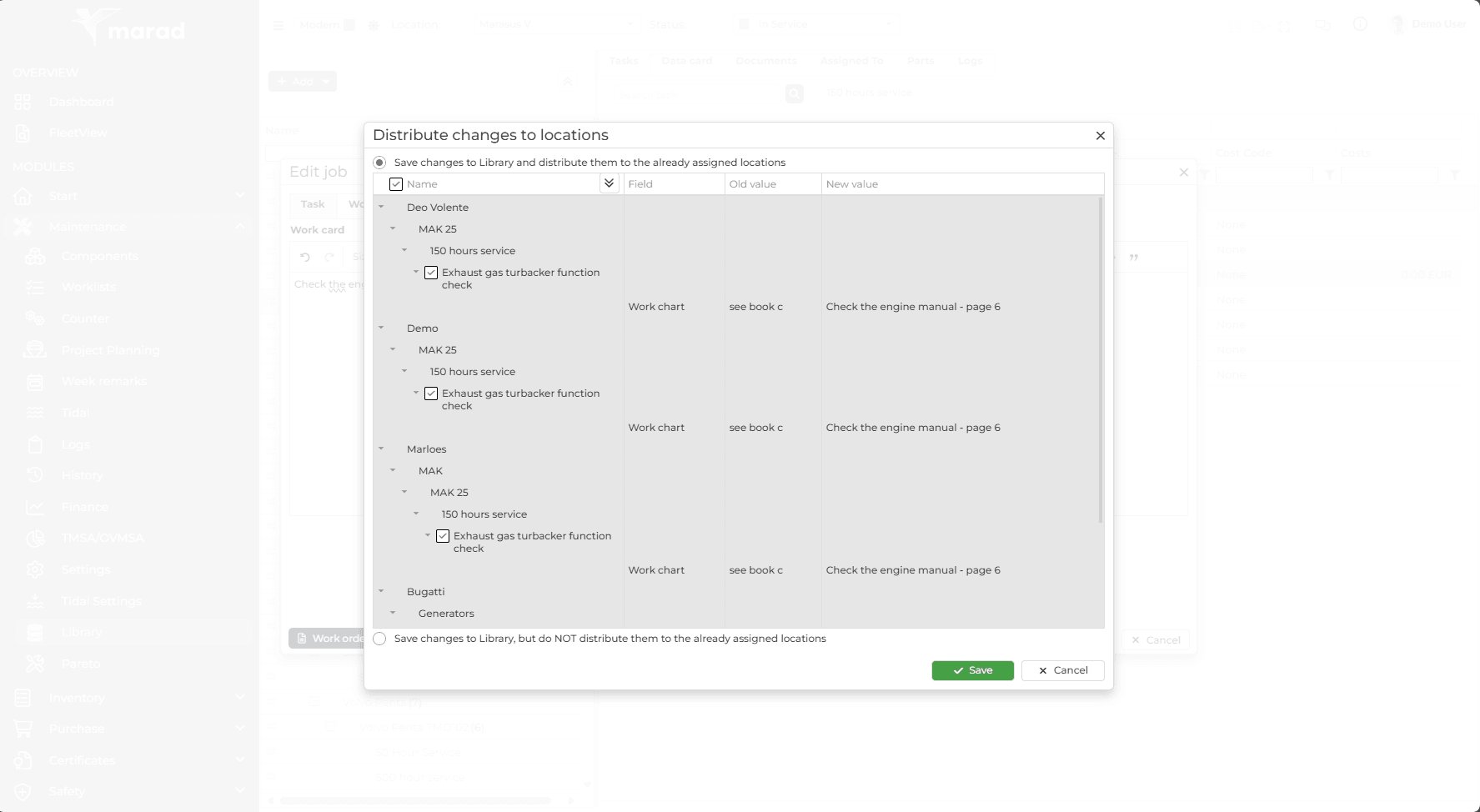
Update something in the library and choose whether to distribute the change to every vessel it is already assigned to, or only to new assignments.
Vessel-specific fields stay flexible
Fields that vary per ship, such as serial numbers, storage location, or job start dates, stay editable per vessel even after assigning from the library.
Blue means library-linked
Library items show in blue everywhere in Marad, so crew and office staff can see at a glance what is centrally managed versus vessel-specific.
How it works
Up and running in hours, not weeks. The typical workflow from setup to daily operations.
Request library access
Ask MaraSoft to activate library licensing, then grant a user, typically an administrator or superintendent, the rights to use it.
Build your library
Set up components, parts, certificates, safety items, or checklists in the library, the same way you would in the standard module.
Assign to your fleet
Assign a whole category or a single item to one or more vessels, and choose the position in the tree structure if needed.
Update centrally
Change something in the library once, and push it to every vessel already assigned, or apply it to new assignments only.
Works together with
Data flows automatically between connected modules: no manual entry, no duplication.
See Library in action
Start a free 30-day trial, no credit card required. Or book a personalised demo and we'll walk you through the Library module with your own vessel data.